
Headless CMS · WordPress alternative
Update the site yourself. Skip the developer queue.
A custom-coded website with a headless CMS gives your team clean control over pages, images, copy, blogs, and layout blocks — without the fragile WordPress plugin stack that slows sites down and breaks at the worst time.
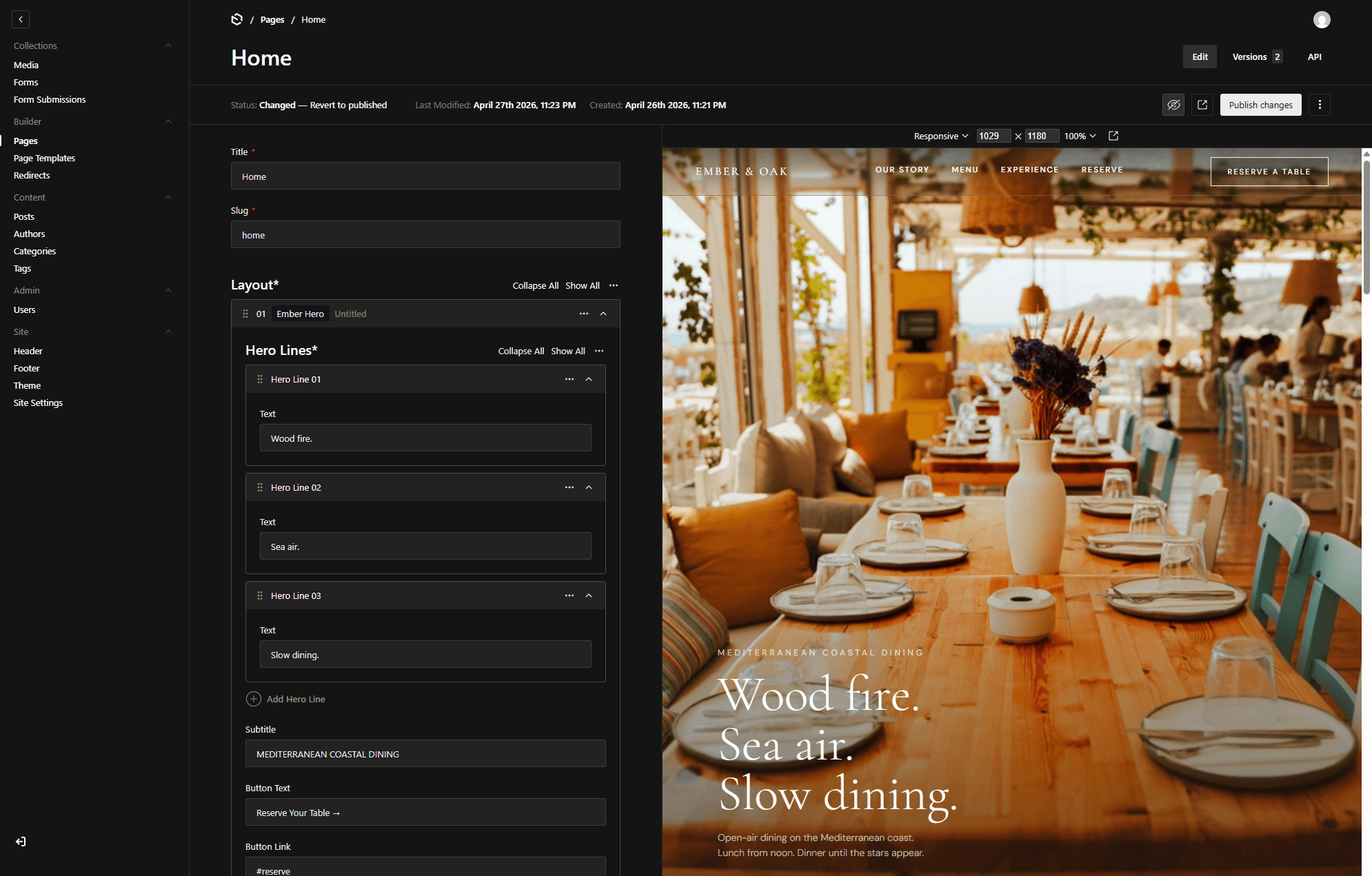
How your team edits
Four steps, no code, nothing breaks.
01
Open the editor
Log into a clean dashboard — no theme options, no plugin sprawl, just your content.
02
Edit in plain fields
Change hero images, copy, services, blogs, and CTAs through structured fields that can't break the layout.
03
Drag in layout blocks
Add, reorder, or remove pre-built sections without touching code.
04
Publish
Hit publish and it's live in seconds on fast, edge-delivered hosting.
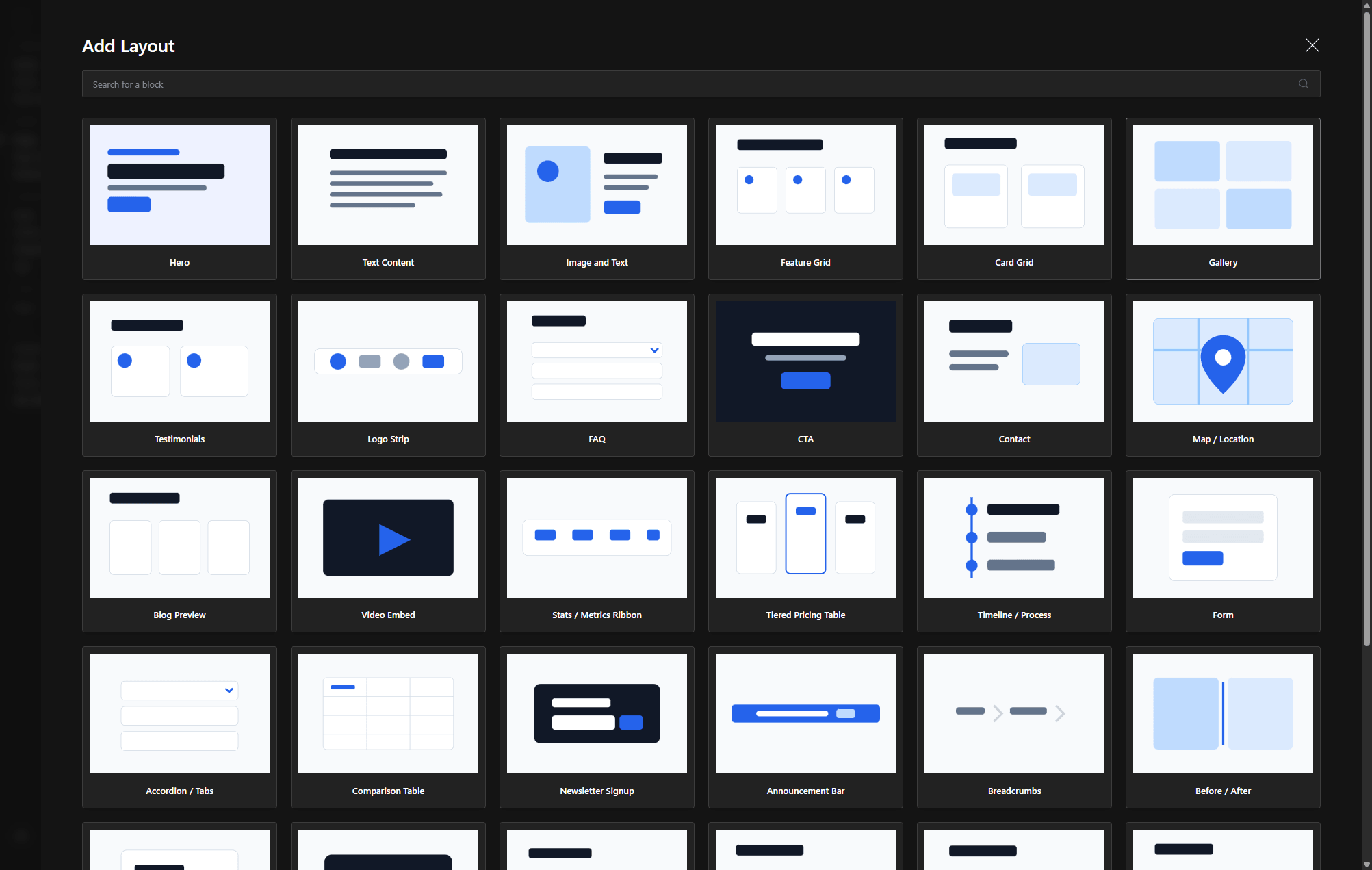
What you get
Built to be edited, not fought.
Edit anything, safely
Copy, images, blogs, and CTAs live in structured fields — your team can't accidentally break the design.
Reorder layout blocks
Compose pages from managed sections without a developer or a page-builder.
Media & blogs
Publish resources, case studies, and blog posts from one clean dashboard.
Fast by default
Custom-coded frontend on Next.js — no bloated plugin stack dragging down speed.
Secure & stable
No plugin soup to patch weekly. Fewer moving parts, fewer things to break or get hacked.
You own it
Your content, your database, your code — exported and handed to you, not rented.
Custom CMS vs WordPress
Why businesses move off WordPress.
| Custom CMS | WordPress | |
|---|---|---|
| Page speed | Fast, custom-coded | Slowed by plugins & themes |
| Security | Few moving parts | Constant plugin patching |
| Editing | Structured, can't break layout | Fragile page-builders |
| Ownership | Full — code & data | Tangled in themes/plugins |
| Scales into apps | Yes — same stack | Bolt-ons & workarounds |
Weighing it up? Read WordPress vs Custom Code.